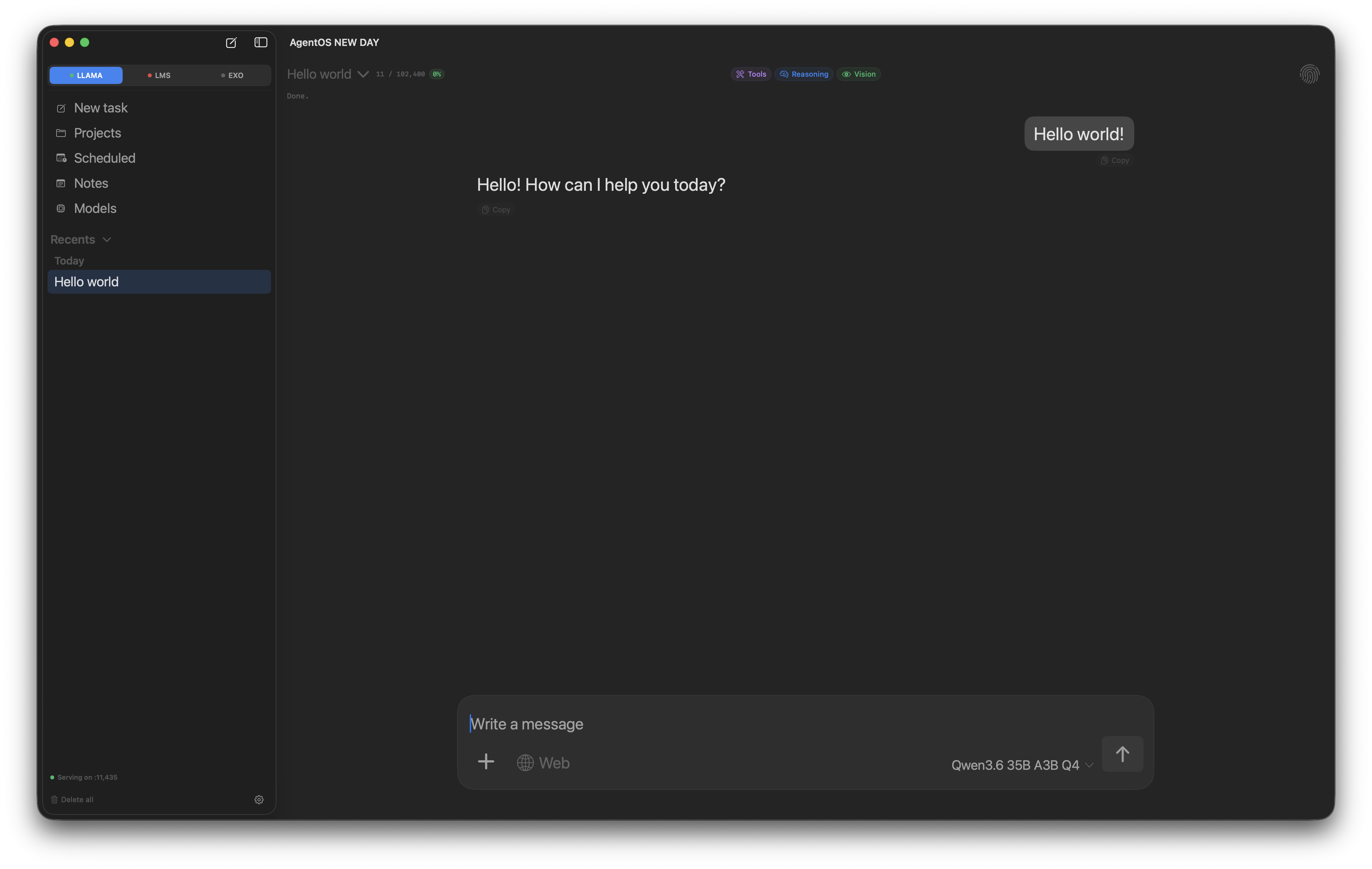
AgentOS chat window showing a streaming assistant response with sidebar and input bar
Founders price · first 200 buyers

The coding agent that lives on your Mac.

AgentOS runs MLX, llama.cpp, LM Studio, and EXO clusters — your code, your models, your machine. No subscriptions. No cloud round-trips. Just an agent loop wired to the models you already trust.
  • Apple Silicon only
  • Offline-first
  • 2 active Macs per license
  • Lifetime updates
Projects

Ground every chat in your code.

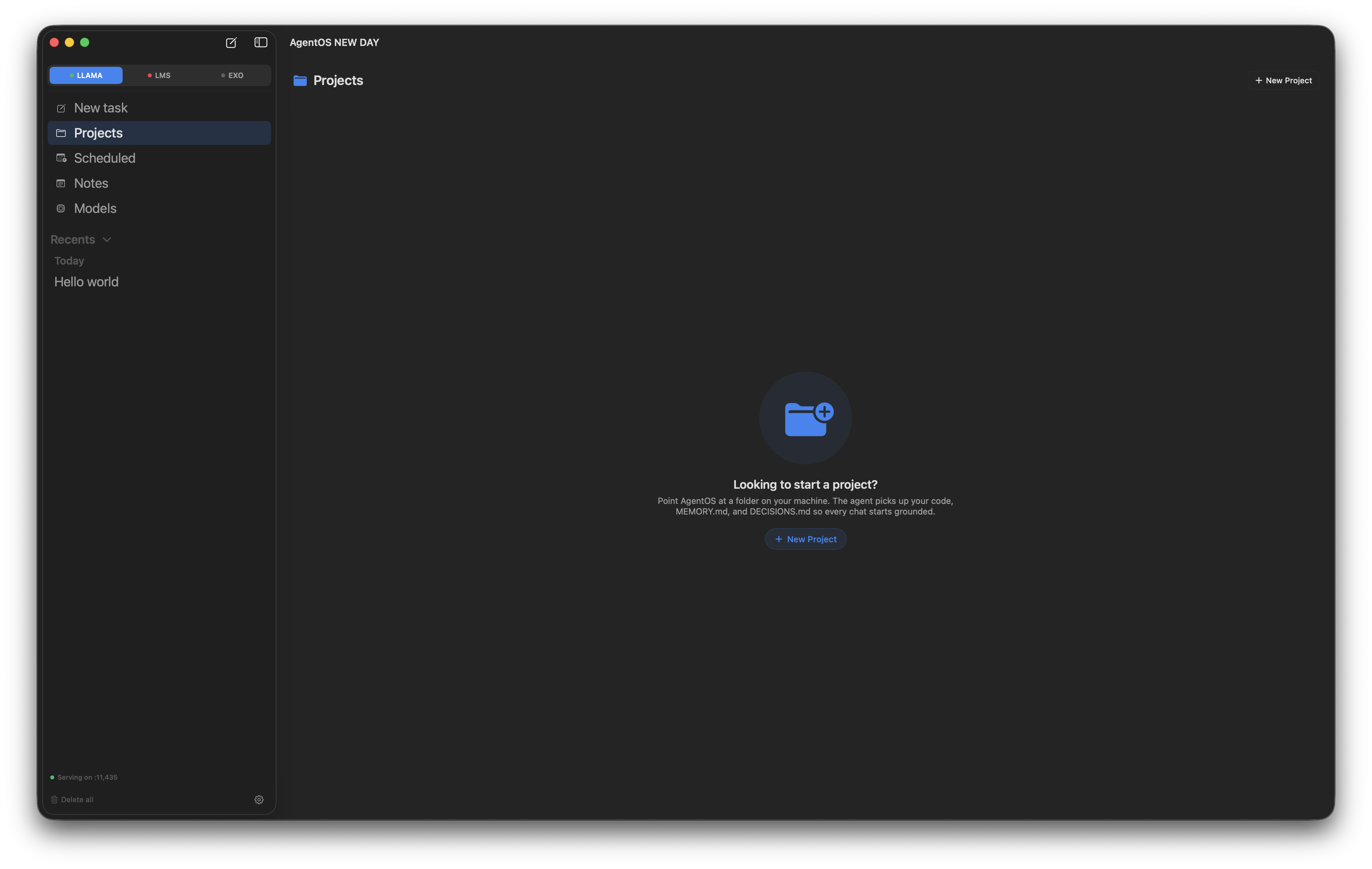
Point AgentOS at a folder. Write project instructions once — stack, conventions, gotchas — and they're injected into every conversation in that project from then on. The model stops re-asking and starts shipping.

  • Per-project standing instructions, set up in seconds
  • Project-bound chats with their own history
  • Instructions live in .agentos/instructions.md — gitable and yours
AgentOS Projects landing page with a centered folder icon and Start a project call-to-action
Notes

A scratch pad that survives every session.

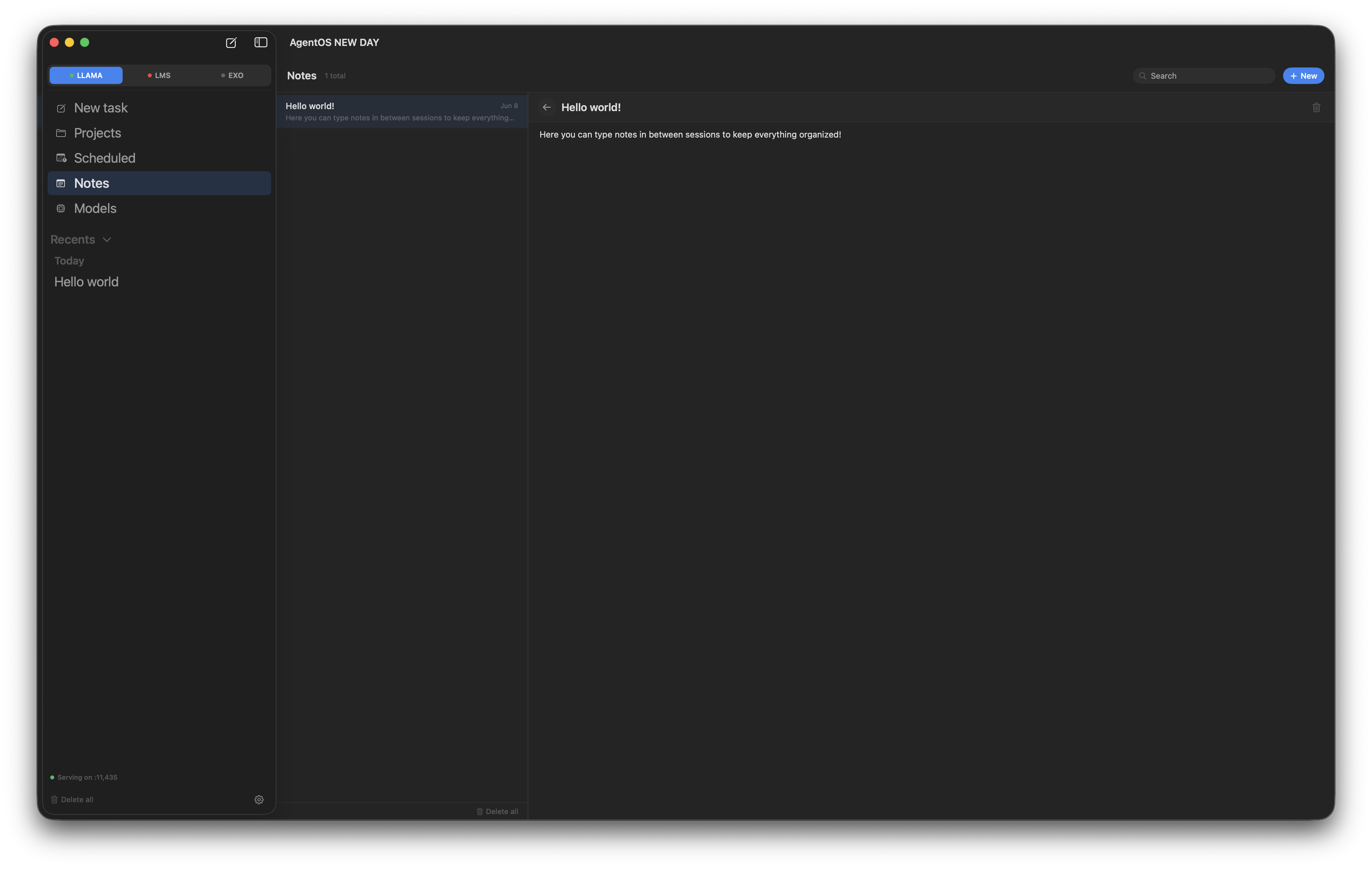
Drop reminders, snippets, paths, prompts — anything you want back later. Notes live in a single searchable list, autosave as you type, and stay entirely yours. Nothing flows to the model; the agent never sees them unless you paste them in.

  • Plain text or markdown, your choice
  • Live autosave — no Cmd+S to forget
  • Instant search across title + body
  • Stored as plain JSON in ~/Library — diffable, scriptable
AgentOS Notes pane with a searchable list of notes on the left and the active note open in the editor on the right
Scheduled

Run the agent on a schedule.

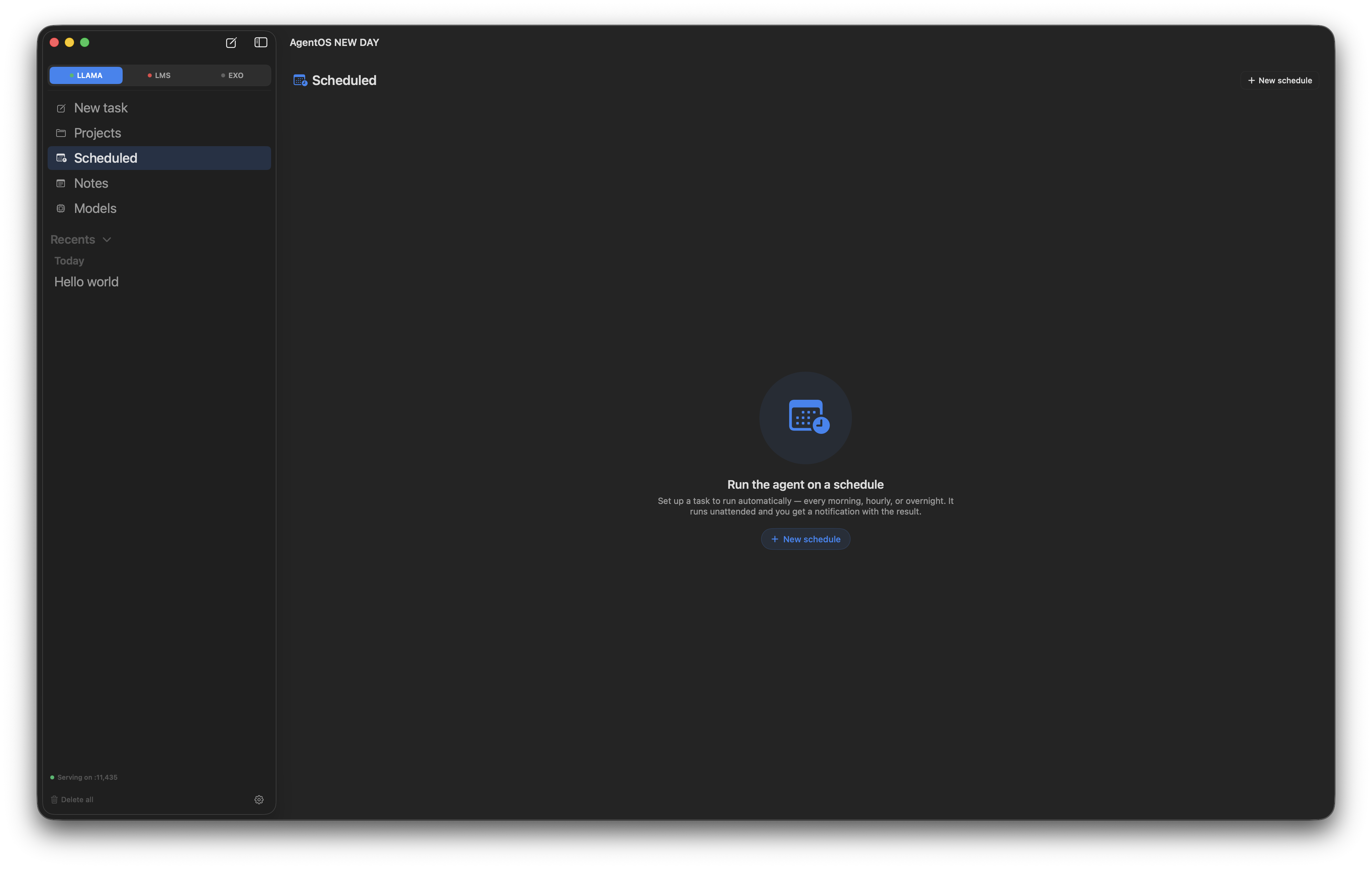
Set up a task once and let it run on a cadence — every morning, every hour, overnight. The agent runs headless, logs its work, and drops a notification when it's done. Wake up to your inbox already triaged.

  • Daily, hourly, or one-off schedules
  • Bind a schedule to a project folder for context
  • Headless runs leave a full chat transcript you can open
  • Catches up at next wake if your Mac was asleep
AgentOS Scheduled tasks landing pane with a calendar icon and New schedule call-to-action
Models

Curated models that actually tool-call.

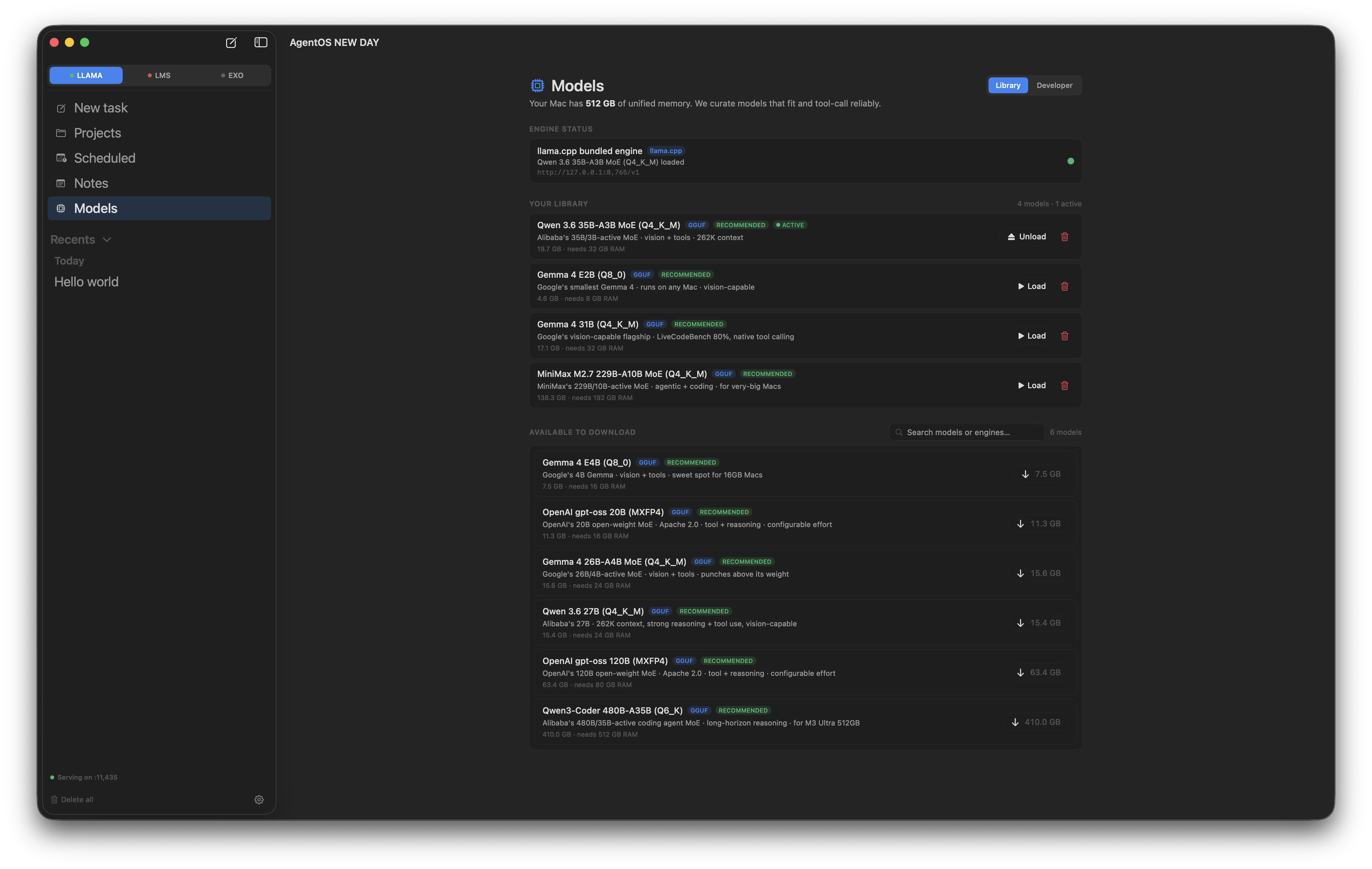
Most local models look great in benchmarks and fall over the first time you ask them to call a tool. We curate the ones that work — Qwen 3.6, Gemma 4, gpt-oss, MiniMax — and ship them as one-click downloads sized for your Mac's RAM.

  • Pre-vetted GGUFs sized to your unified memory
  • Active model picker right in the chat input bar
  • Split-file support for the big ones (480B, 120B)
  • Developer tab for context / KV cache / GPU offload tuning
AgentOS Models pane showing the curated library and available downloads
Cluster

Pool multiple Macs into one.

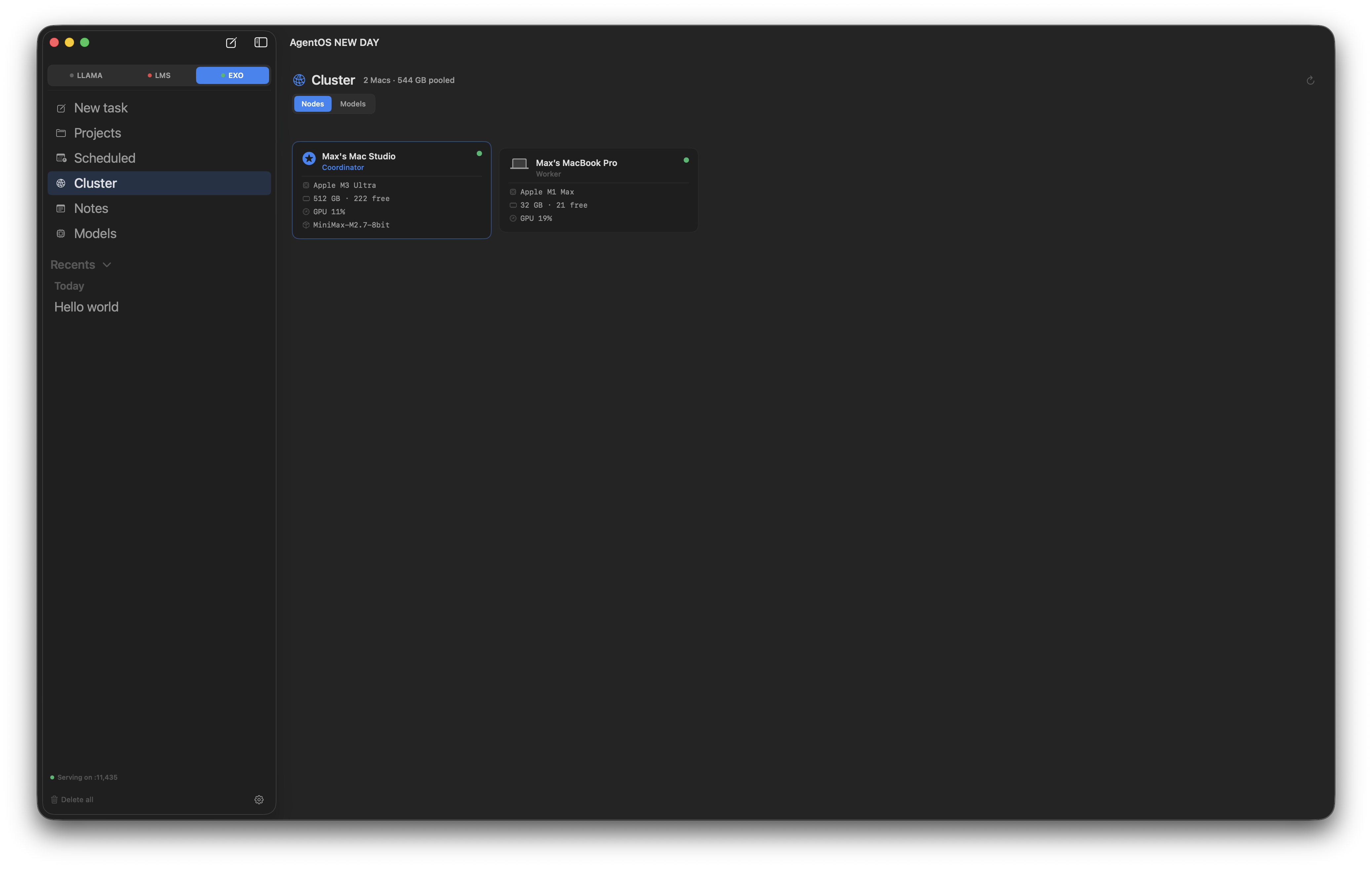
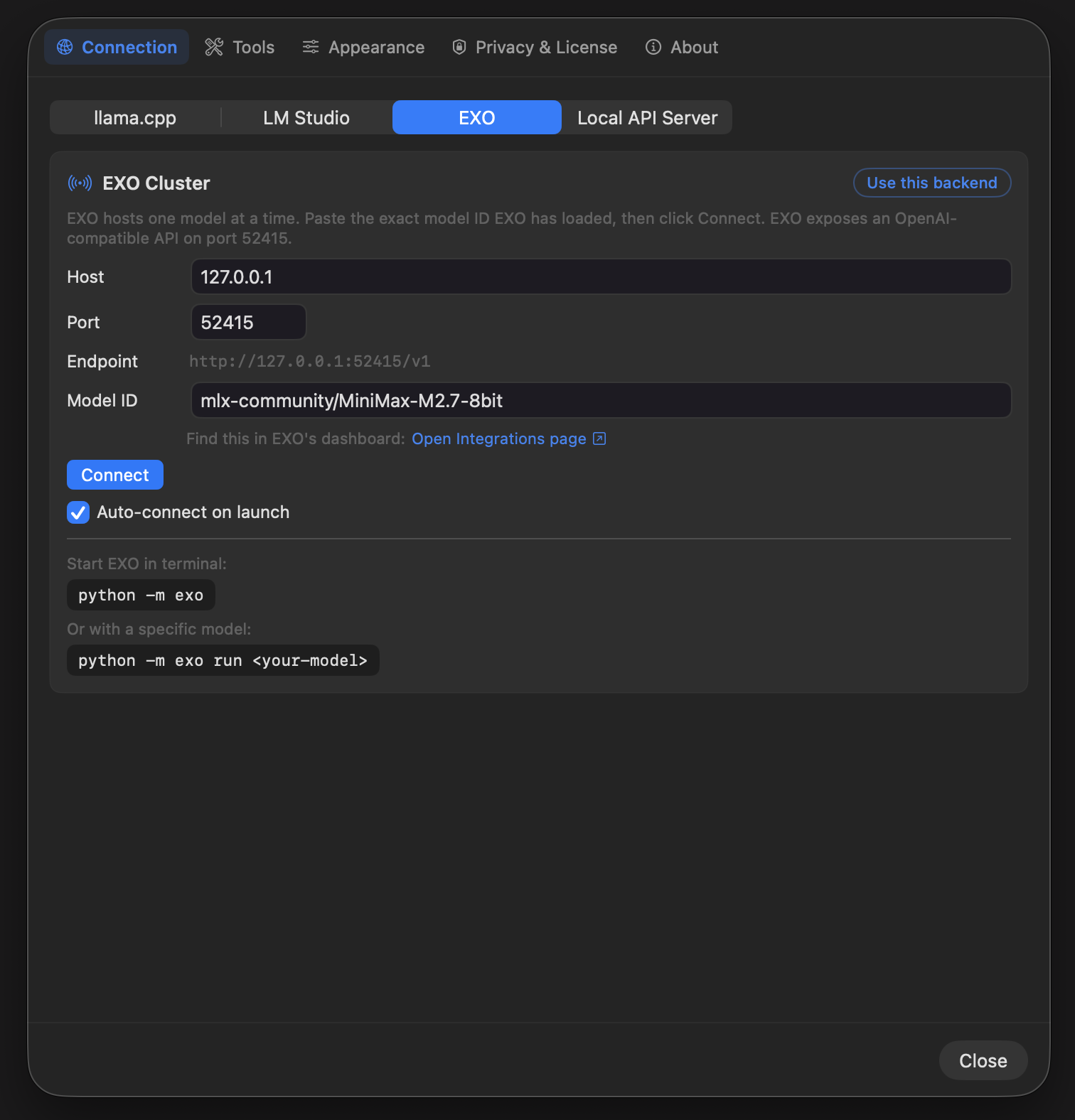
EXO turns your Mac Studio and your MacBook Pro into a single inference target with shared unified memory. Run models that don't fit on either Mac alone. The cluster view shows live capacity per node and which model is pinned where.

  • Cluster any Apple Silicon Macs on your network
  • Live free-memory view per node
  • Run 400B+ models that don't fit on a single Mac
  • Same curated catalog — just pooled across machines
AgentOS Cluster pane with EXO active in the sidebar, header reading 2 Macs · 544 GB pooled, and two Mac node cards showing a Mac Studio coordinator and a MacBook Pro worker
Backends

Four backends. One protocol.

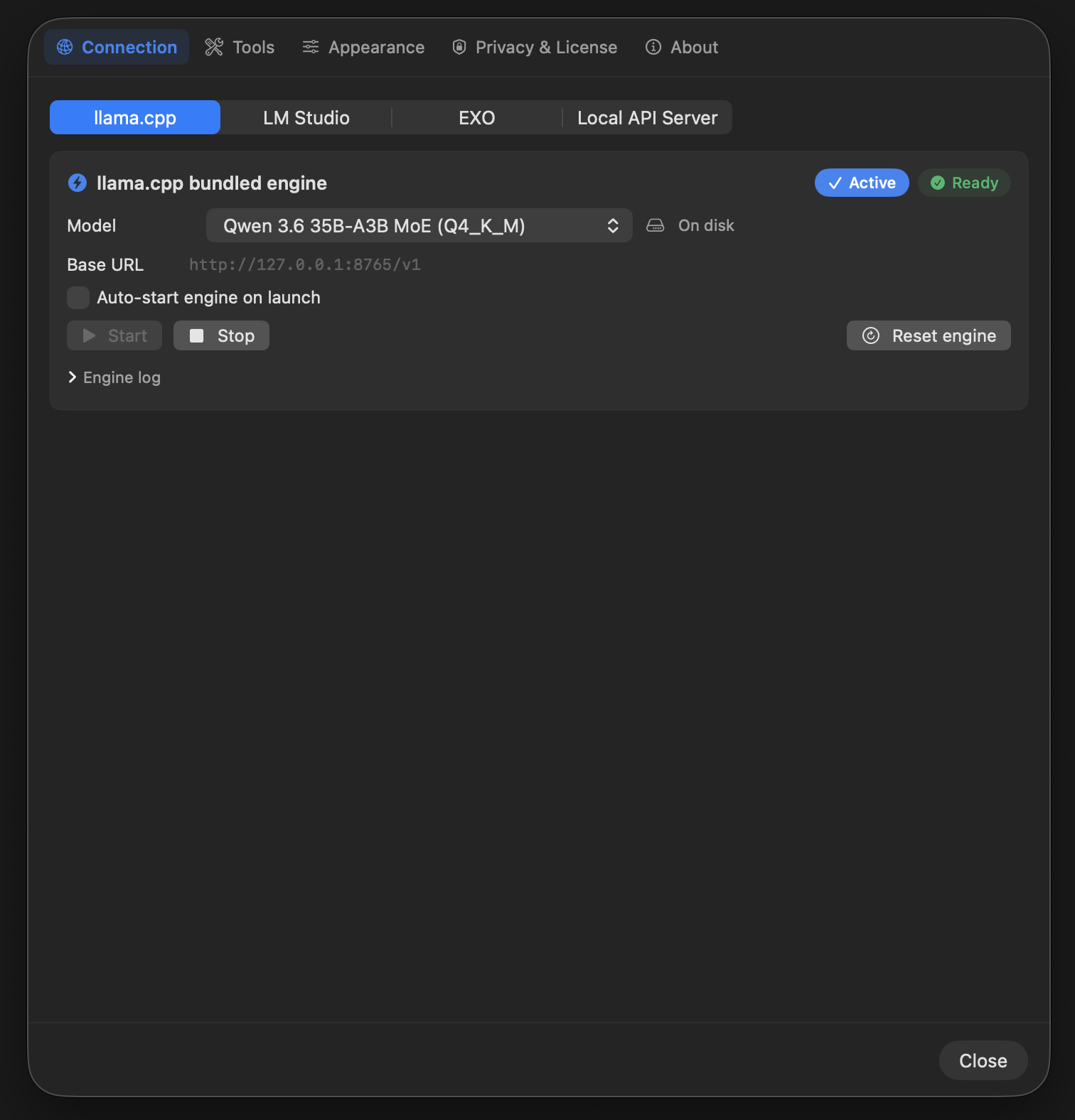
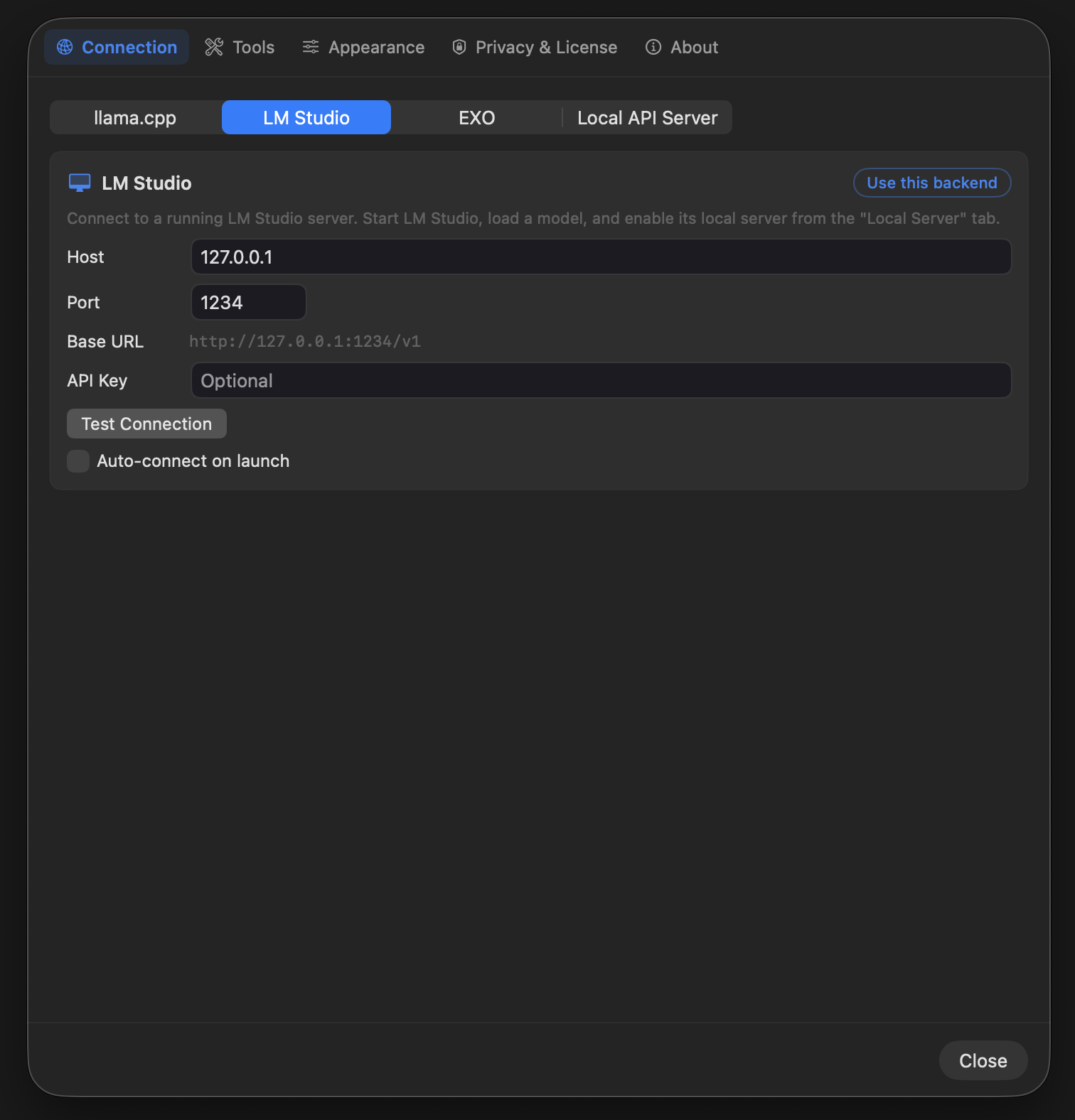
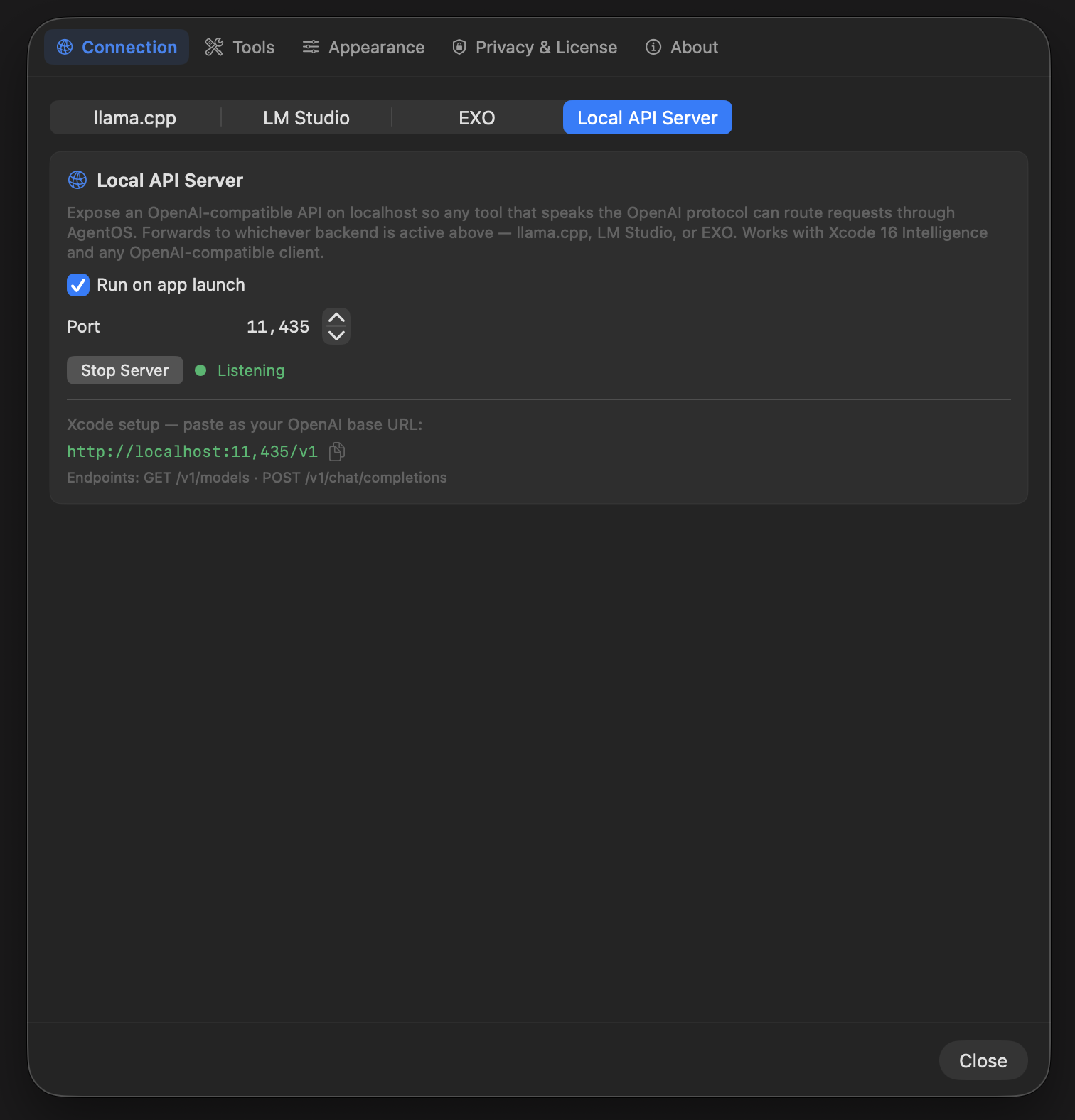
llama.cpp ships bundled and auto-starts. LM Studio plugs in with one click. EXO lets you fan inference across multiple Macs on your network. The Local API Server exposes everything as OpenAI-compatible so Xcode 16 Intelligence and any other client just work. Your active backend stays pinned at the top of the sidebar so you always know what's running.

  • llama.cpp · Metal-tuned, split-file support, bundled
  • LM Studio · drop-in OpenAI endpoint
  • EXO · cluster inference across Mac Studios + MBPs
  • Local API Server · works with Xcode AI assistant
Connection settings showing the llama.cpp tab with Qwen 3.6 35B-A3B MoE active and ready
llama.cpp
Connection settings showing the LM Studio tab with host, port, and Test Connection controls
LM Studio
Connection settings showing the EXO cluster tab with model ID and Connect button
EXO
Connection settings showing the Local API Server tab listening on port 11435 for Xcode and other OpenAI clients
Local API Server
Xcode

Your local model. Xcode's AI Assistant.

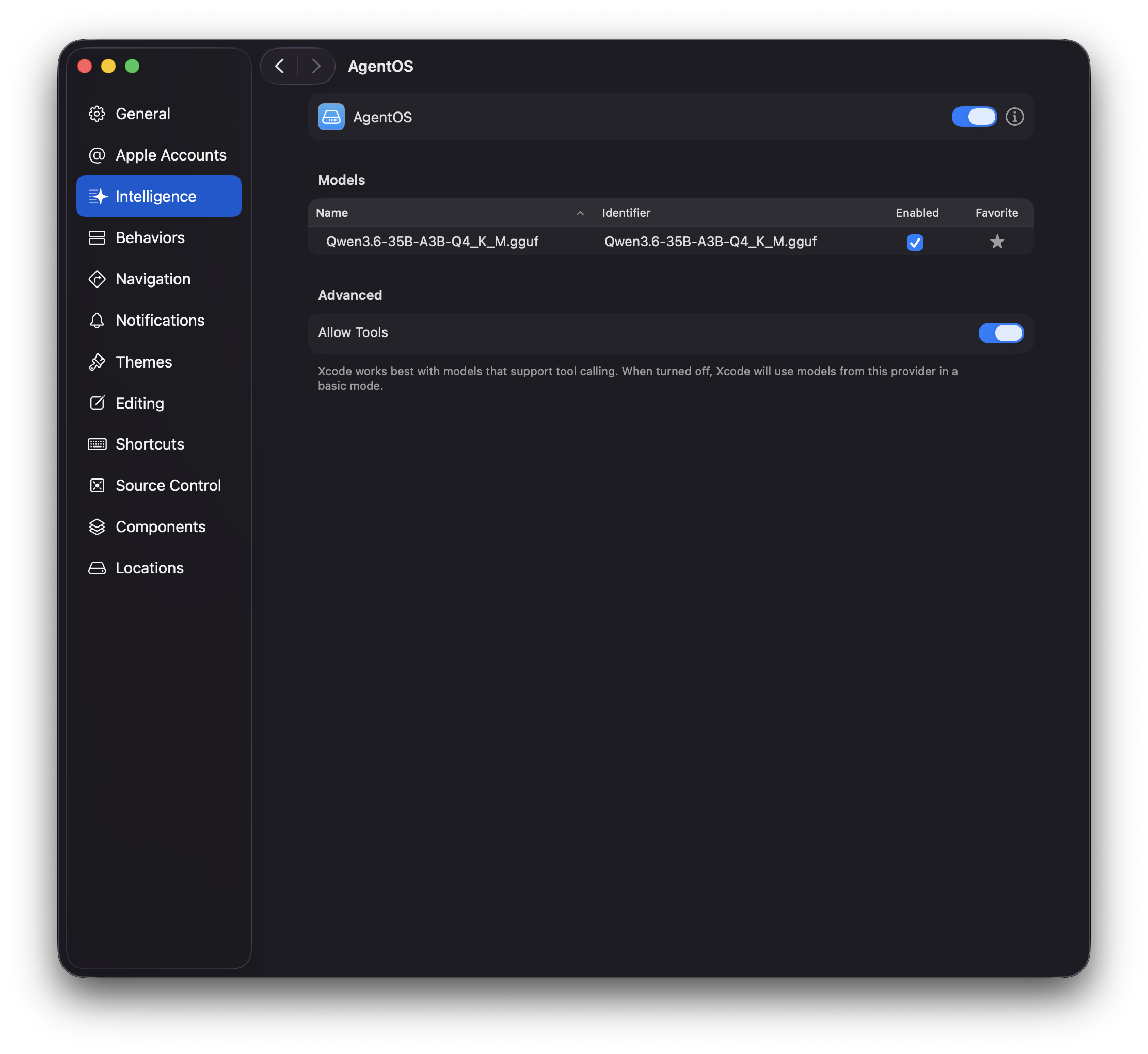
The Local API Server registers AgentOS as a first-class Intelligence provider in Xcode 16. Add it once in Settings, pick your model, flip tool-calling on — the built-in AI Assistant now runs entirely on your Mac. No cloud round-trip, no per-seat subscription, no code leaving your machine.

  • First-class Xcode 16 Intelligence provider
  • Tool-calling on for models that support it
  • Same protocol works with Cursor, Continue.dev, any OpenAI client
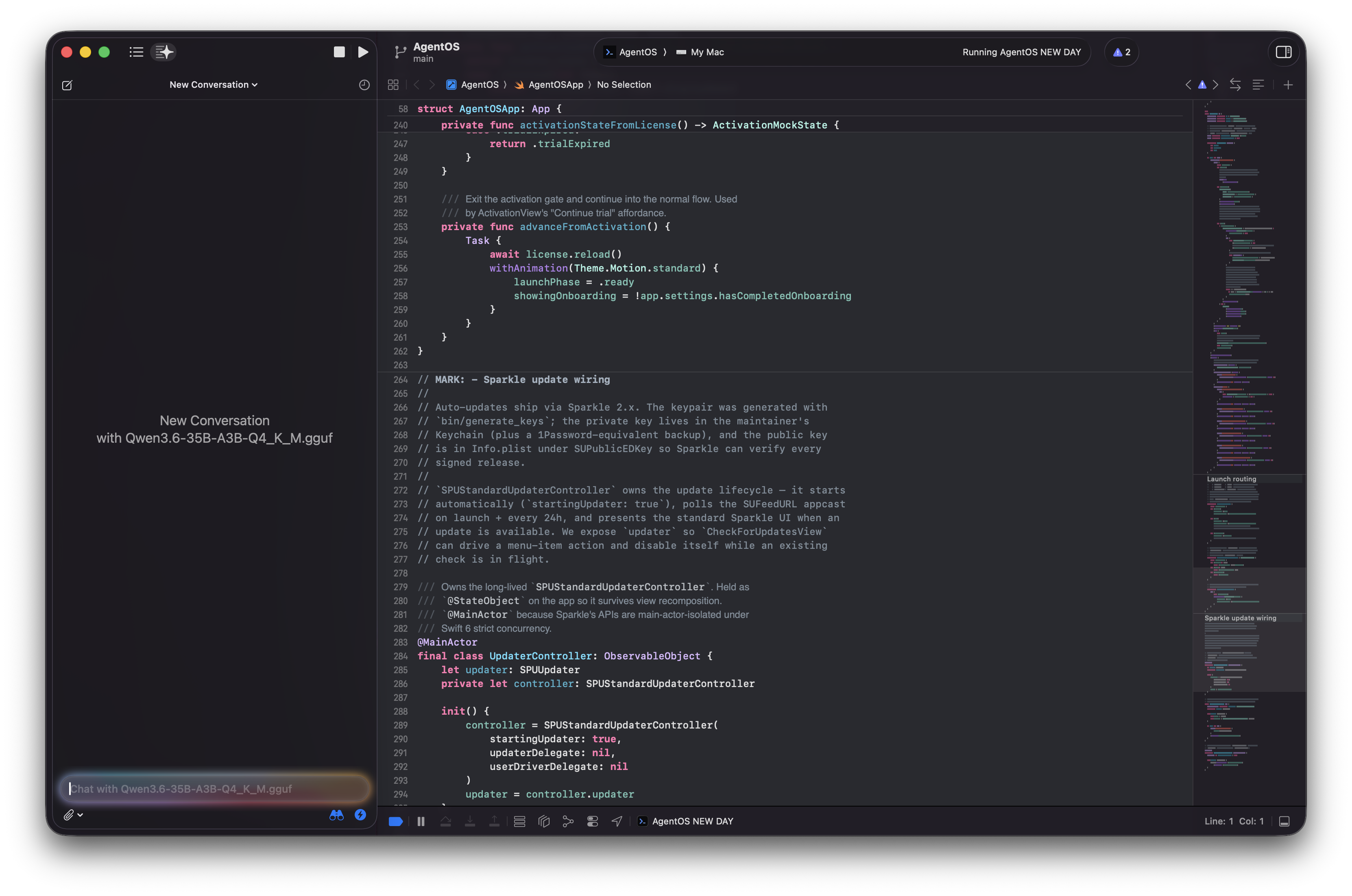
Xcode Settings, Intelligence pane, showing AgentOS registered as a provider with Qwen3.6-35B-A3B enabled and Allow Tools on
Settings
Full Xcode 16 window showing real Swift code in the editor, the AI Assistant panel docked on the left with a fresh conversation tied to Qwen3.6-35B-A3B running locally through AgentOS
Assistant

One time. Yours forever.

AgentOS is a $99 founders-price license while the first 200 spots last — then it goes to $199. No tiers, no subscriptions, no usage caps.

Standard
$199 one time
After the first 200 founders licenses sell.
  • All current and future features
  • 2 active Macs per license
  • Lifetime updates via Sparkle
  • Standard email support
Join the waitlist

Be first in line.

We'll email you when the founders-price gates open. No newsletter, no marketing blasts — just the launch ping.

We'll only email you once — when the founders price opens.